Product Guide

How Xaults Invoice Financing Works

Xaults turns unpaid delivery-platform invoices into instant cash. Restaurants get paid early, financiers earn a return, and platforms settle on schedule. Here’s exactly what each side does.

The big picture

Three participants, one marketplace.

🍽️

Restaurant

Sells its delivery invoices at a small discount to get cash today instead of waiting weeks.

💸

Financier

Buys those invoices, fronts the cash, and earns the discount as profit when they settle.

🏢

Platform

Pays the invoice on the settlement date — the funds now go to whoever owns it.

For Restaurants

Vendors / merchants who sell on delivery platforms and want cash now instead of waiting for the settlement date.

1

Create your account & sign in

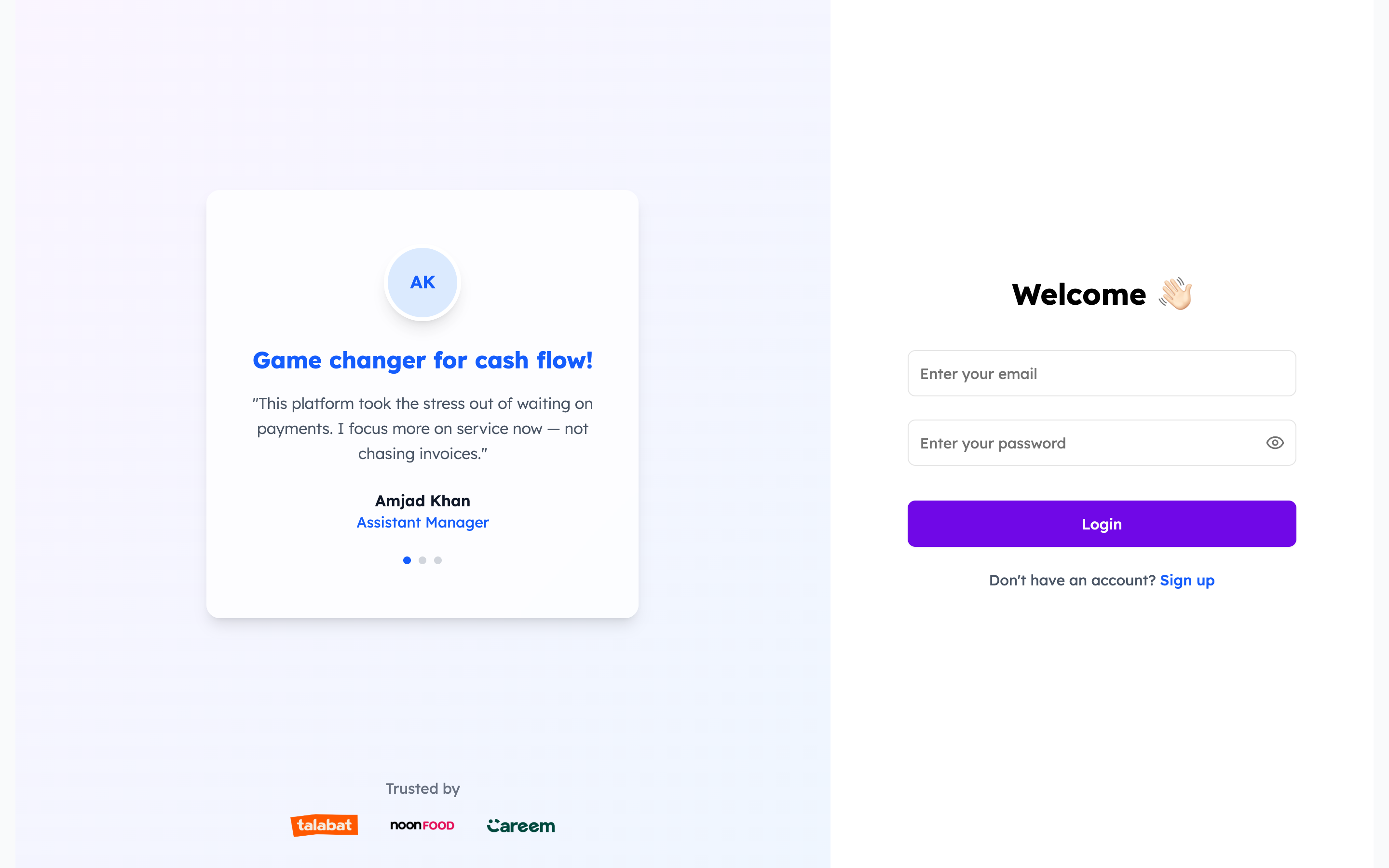
Sign up as a Restaurant (or log in if you already have an account) to reach your dashboard.

  • Go to Sign Up, choose the Restaurant role and set your email & password.
  • Already registered? Just log in from the welcome screen.
Xaults login screen
2

Connect your delivery accounts

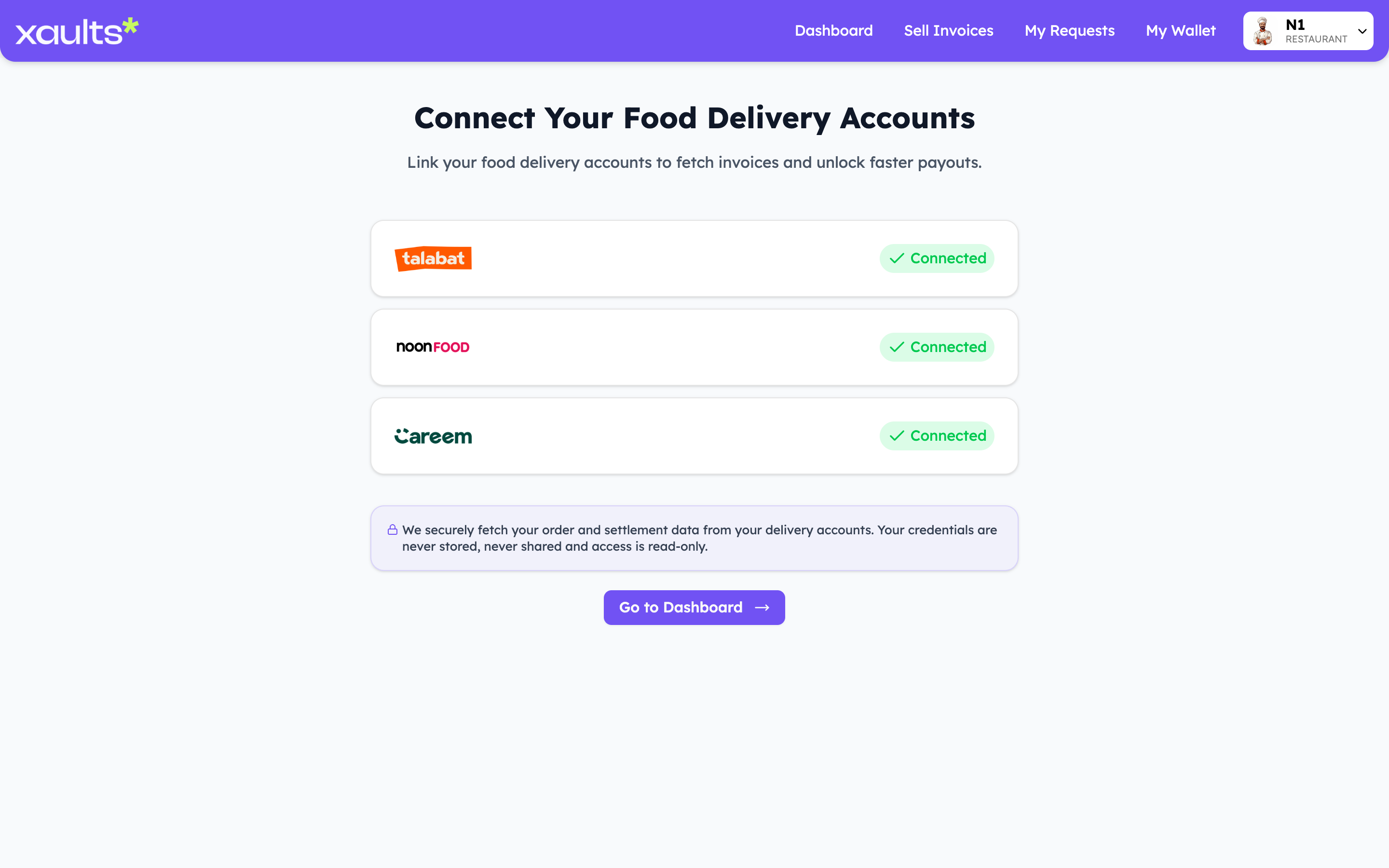
Link the food-delivery platforms you sell on so Xaults can pull in your orders and settlement data.

  • Open “Connect Delivery Accounts” and link Talabat, Noon Food and Careem.
  • Access is read-only — your credentials are never stored or shared.
  • Once connected, your eligible invoices appear automatically.
Connect your food delivery accounts
3

Review your dashboard

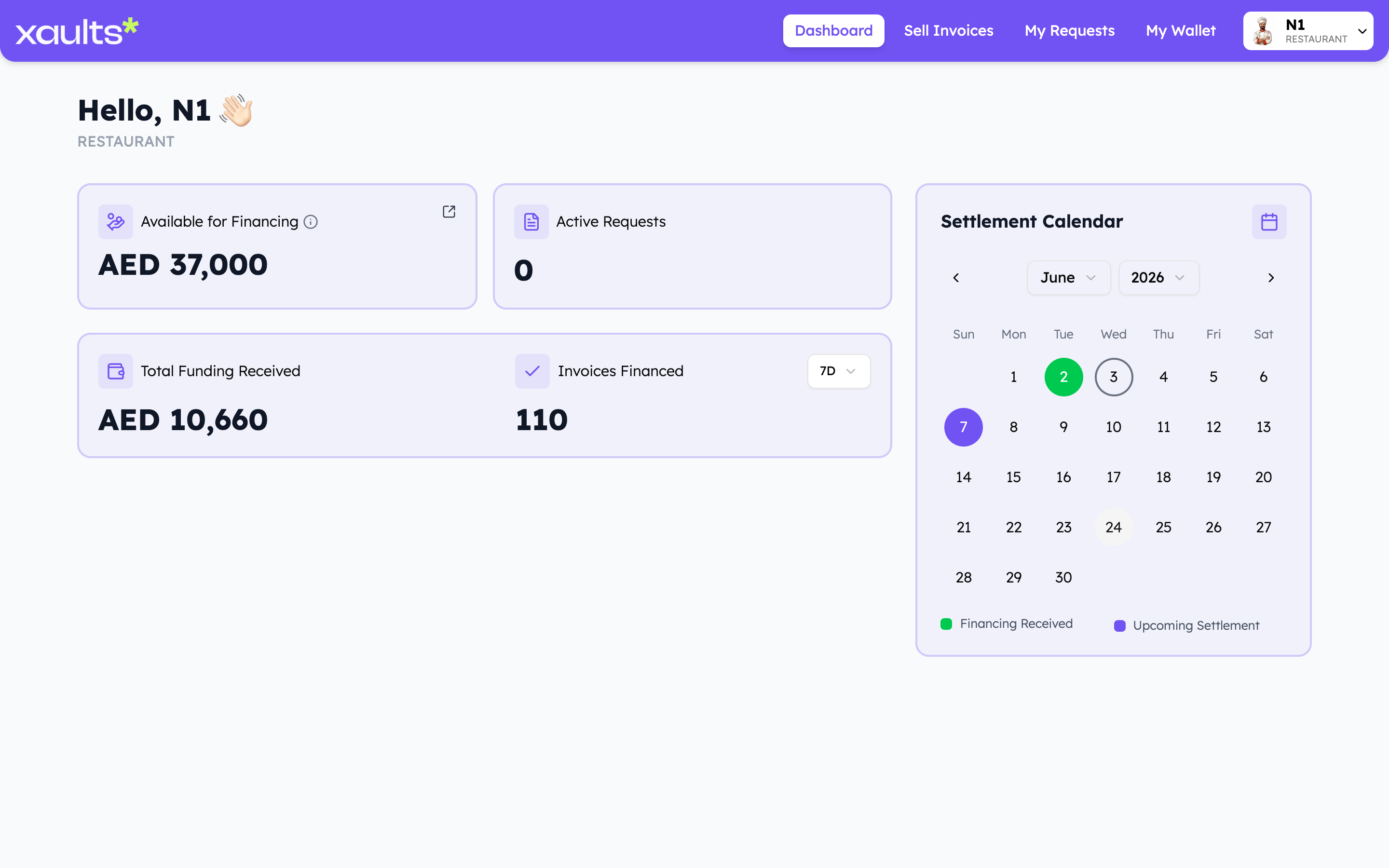
See, at a glance, how much working capital you can unlock.

  • “Available for Financing” shows the total invoice value you can finance.
  • Track Active Requests, Total Funding Received and Invoices Financed.
  • The Settlement Calendar marks when funding lands and when platforms settle.
Restaurant dashboard overview
4

Sell invoices for an early payout

This is the core action — and it’s a few quick screens. Pick a platform, decide how much to finance and at what discount, then confirm. Here’s the full flow:

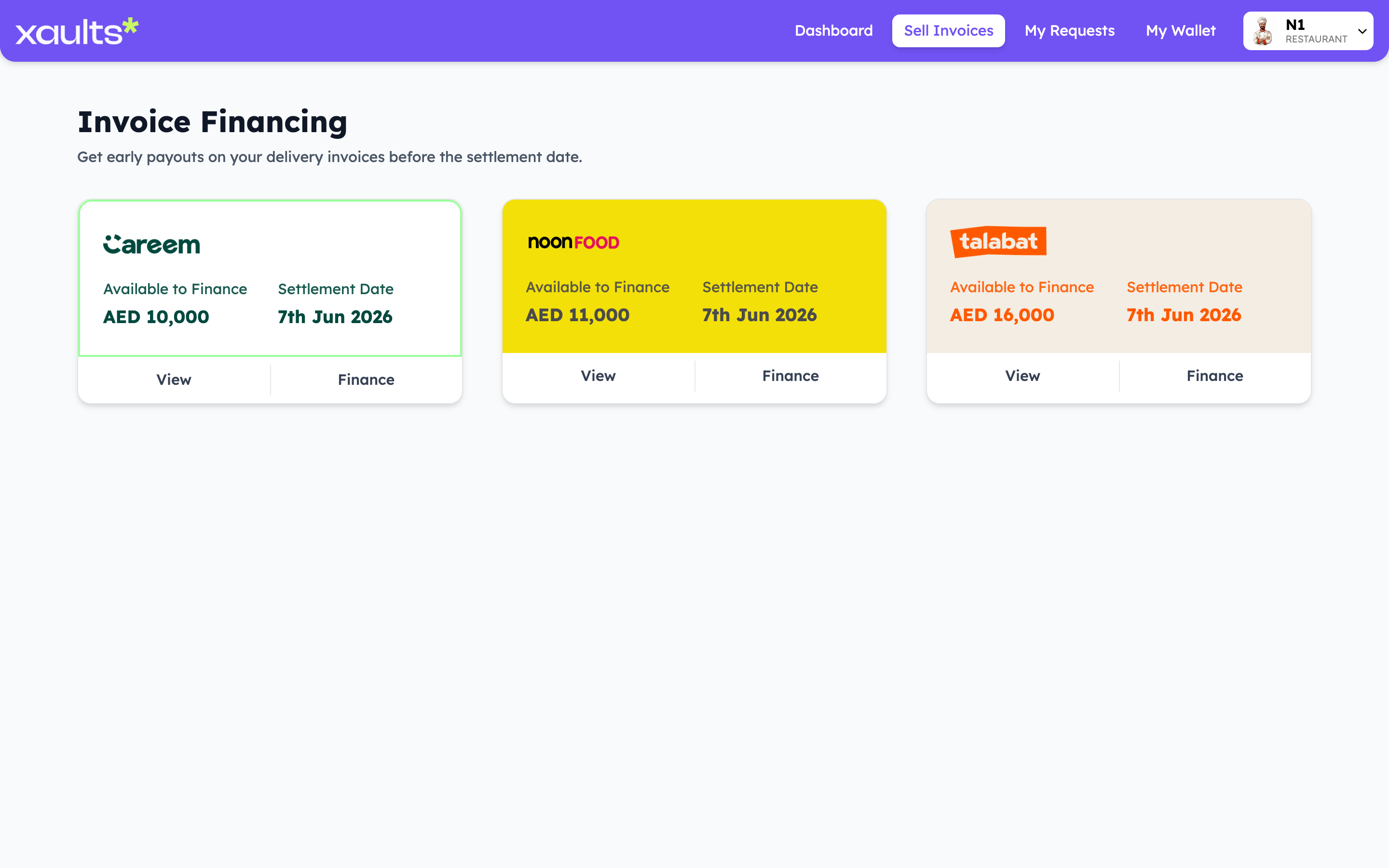
4.1 Choose a platform & click Finance

On “Sell Invoices”, each card shows what’s available per platform. Click Finance on the one you want (or View to inspect the underlying invoices first).

Sell Invoices — available to finance by platform
4.2 Enter how much to finance & your discount

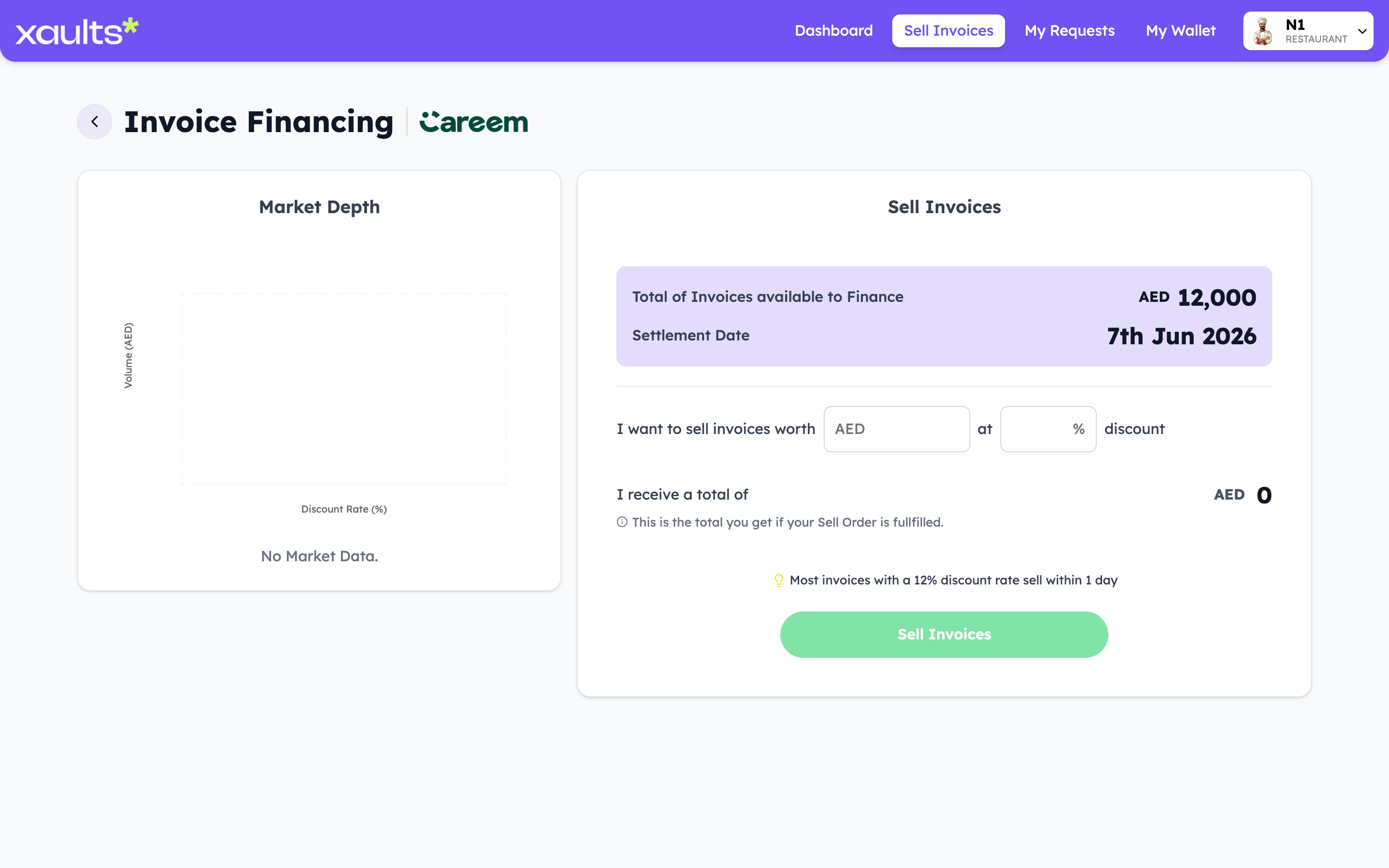
The finance screen shows the total available and the settlement date. Type how much you want to sell and the discount you’re willing to offer financiers.

Finance screen — enter amount and discount
4.3 Review your payout & confirm

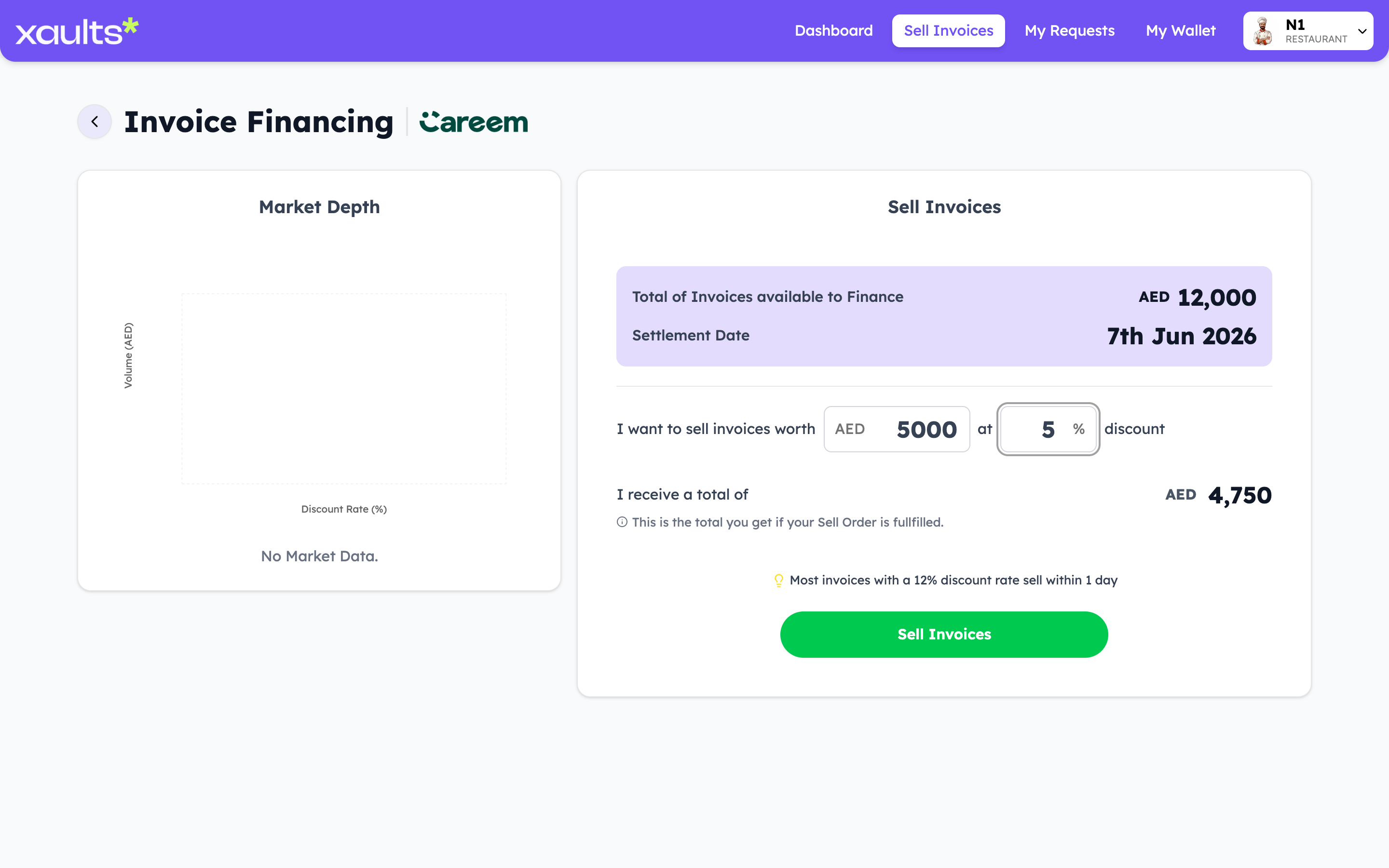
“I receive a total of” updates live (e.g. AED 5,000 at 5% → AED 4,750). When it looks right, hit Sell Invoices to publish the request to the marketplace.

Finance screen — payout preview and confirm
5

Track your requests

Follow each request as financiers fund it.

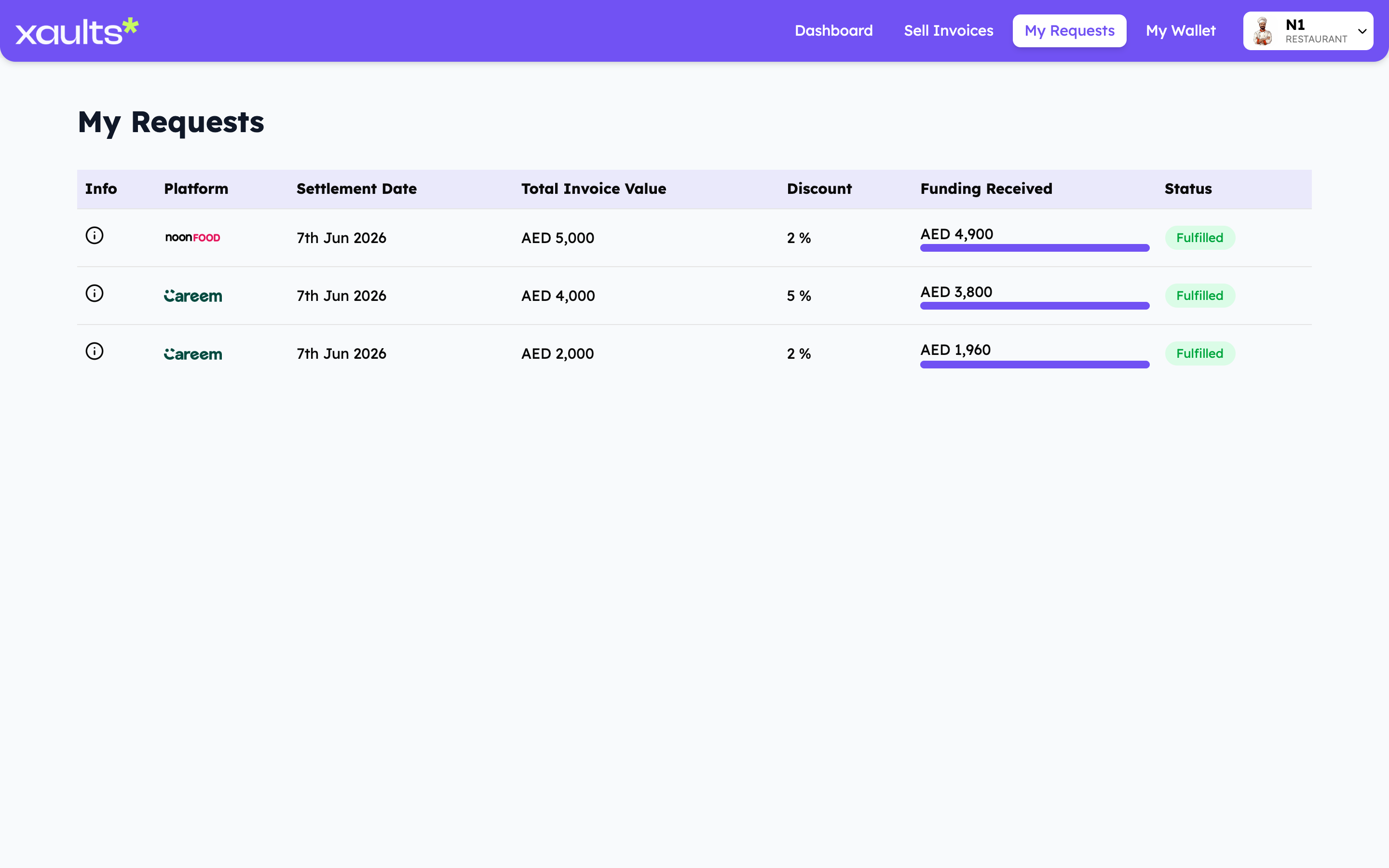
  • “My Requests” lists every request with its discount and funding progress.
  • Status moves to Fulfilled once the full amount is funded.
  • “Funding Received” shows exactly how much has been paid to you.
My Requests — financing request status
6

Get paid in your wallet

Funds settle into your in-app wallet, ready to use for your business.

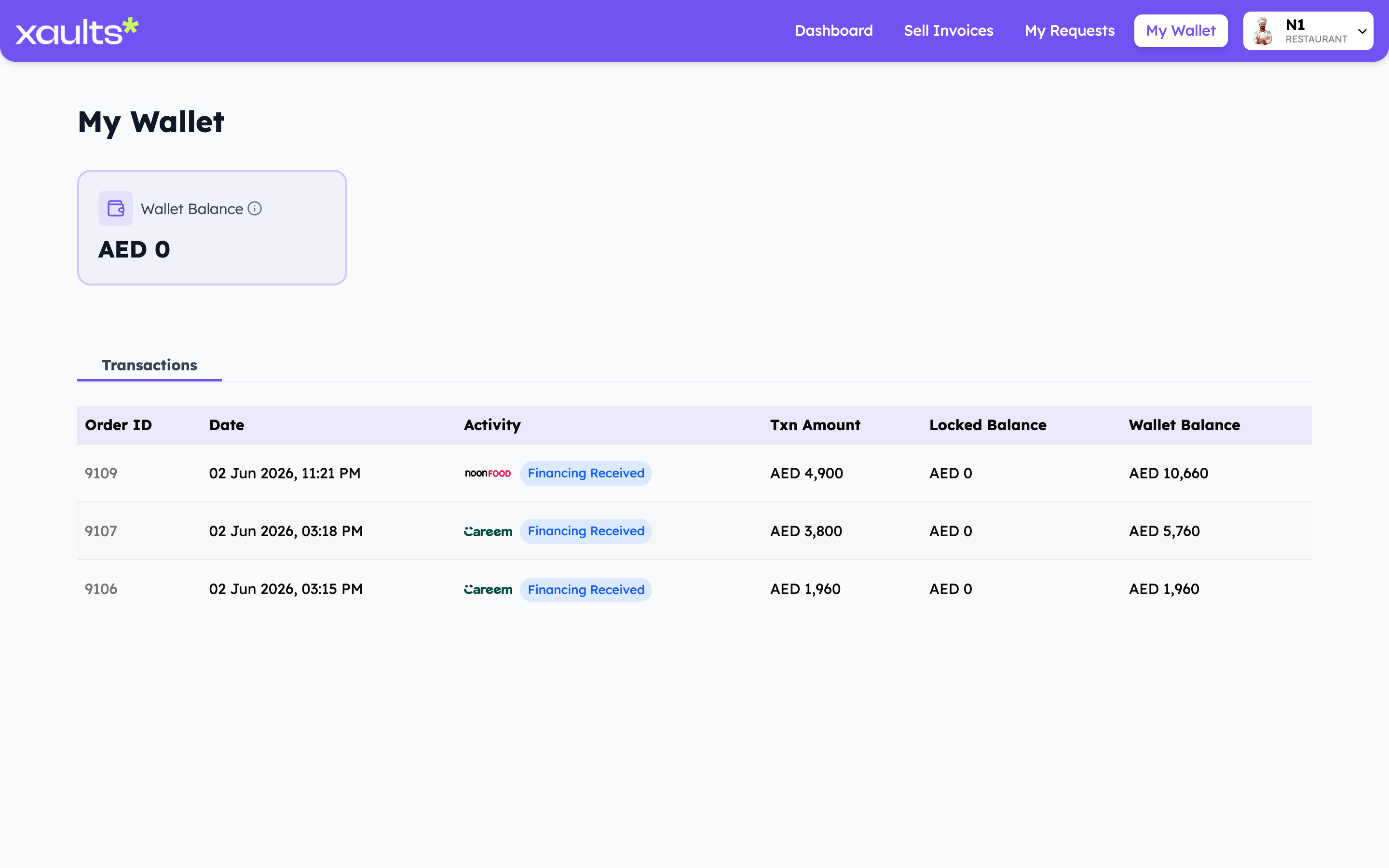
  • Each payout appears as a “Financing Received” transaction.
  • You can also view your settled invoices.
  • See your running Wallet Balance and full transaction history any time.
Restaurant wallet and transactions

For Financiers

Investors who buy restaurants’ invoices at a discount and earn the spread when the platform settles — and can resell those invoices to other financiers too.

1

Create your account & sign in

Sign up as a Financier (or log in) to access the marketplace and your portfolio.

  • Register with the Financier role, then log in from the welcome screen.
Xaults login screen
2

Browse the marketplace

Explore live financing opportunities across every platform.

  • Each card shows Total Market Cap, Settlement Date and Live Market available.
  • Compare opportunities across Careem, Noon Food and Talabat.
  • Click Trade on an opportunity to place a buy order.
Financier marketplace opportunities
3

Place buy orders & build your portfolio

Placing a buy order is a short, guided flow — set your terms, see the live market, commit a budget, then watch it land in your portfolio. Here’s each screen:

3.1 Pick an opportunity & click Trade

From the Marketplace, choose a platform and click Trade to open the order screen.
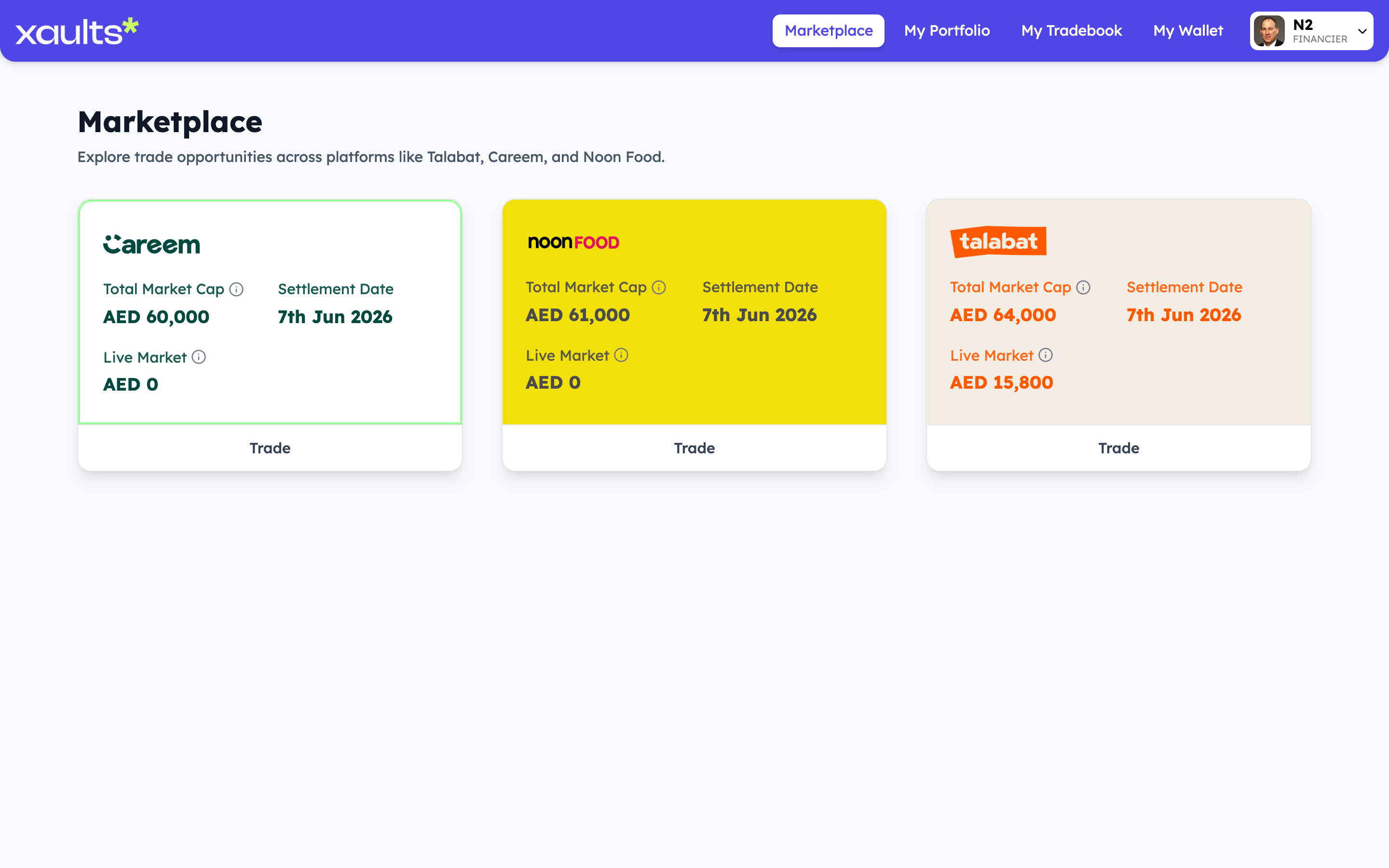
Marketplace opportunities
3.2 Set your discount & read the live market

See Current Market Volume, Best Buy / Sell rates and a market-depth chart. Enter the minimum discount you want to invest at — “Market Available” shows how much you can buy at that rate.
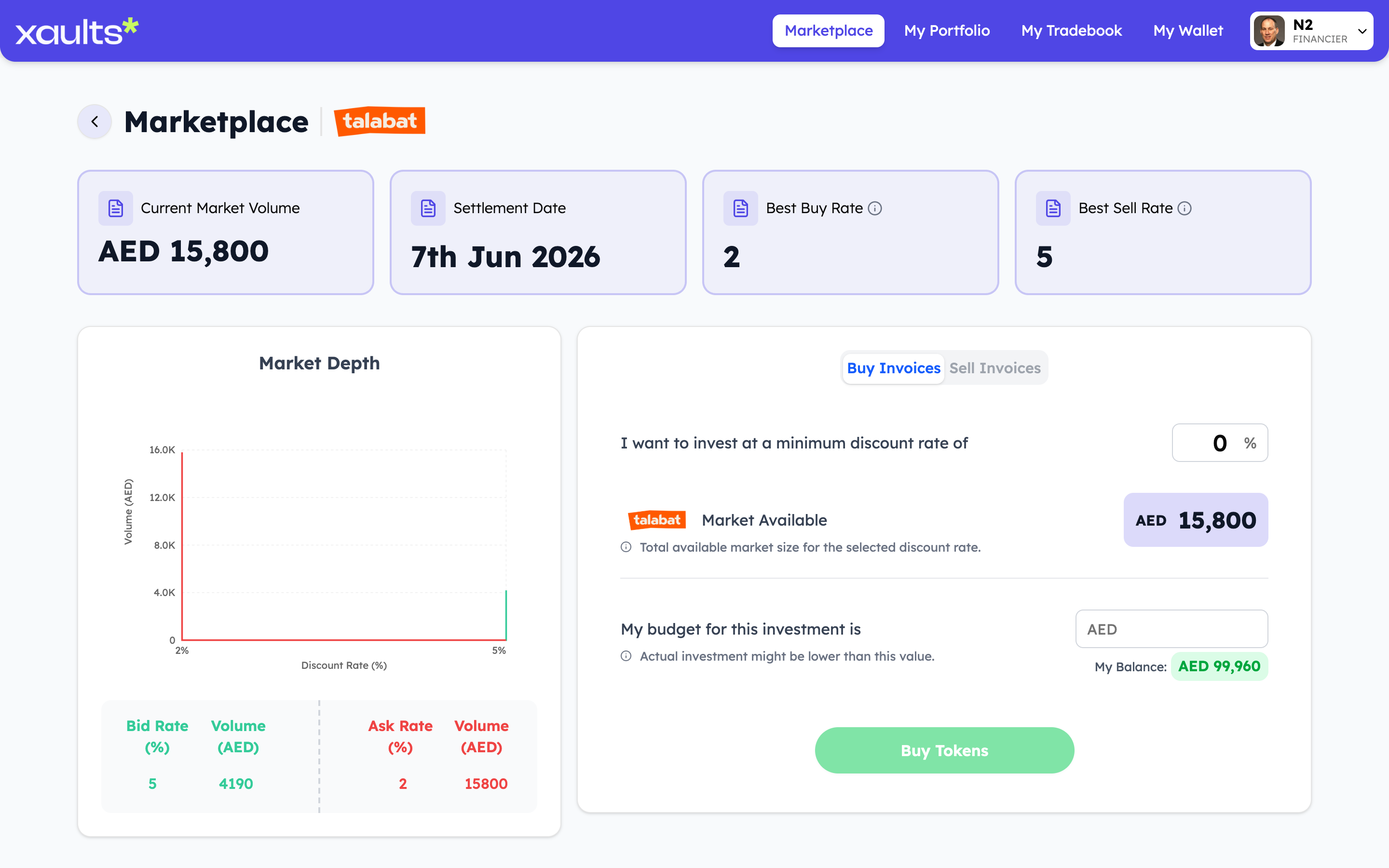
Trade screen — market depth and buy form
3.3 Enter your budget & place the order

Type your budget (checked against your available balance) and hit Buy Tokens. The matcher fills your order against sellers at your rate or better.
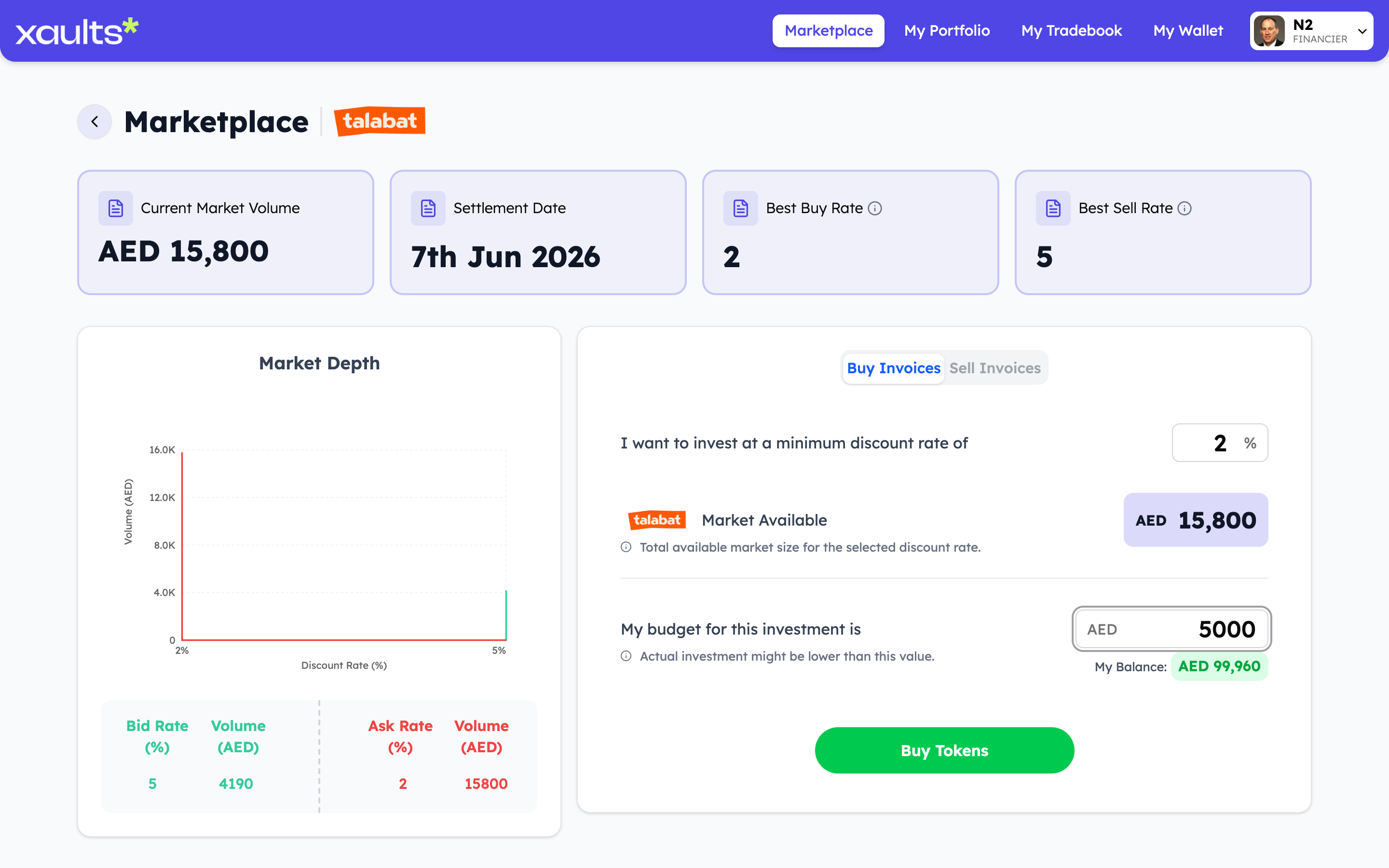
Trade screen — budget entered, ready to buy
3.4 Watch it land in your portfolio

“My Portfolio” tracks Currently Invested, Cash Reserved and Cash Available, plus Profit Earned and Profit Expected as orders fill.
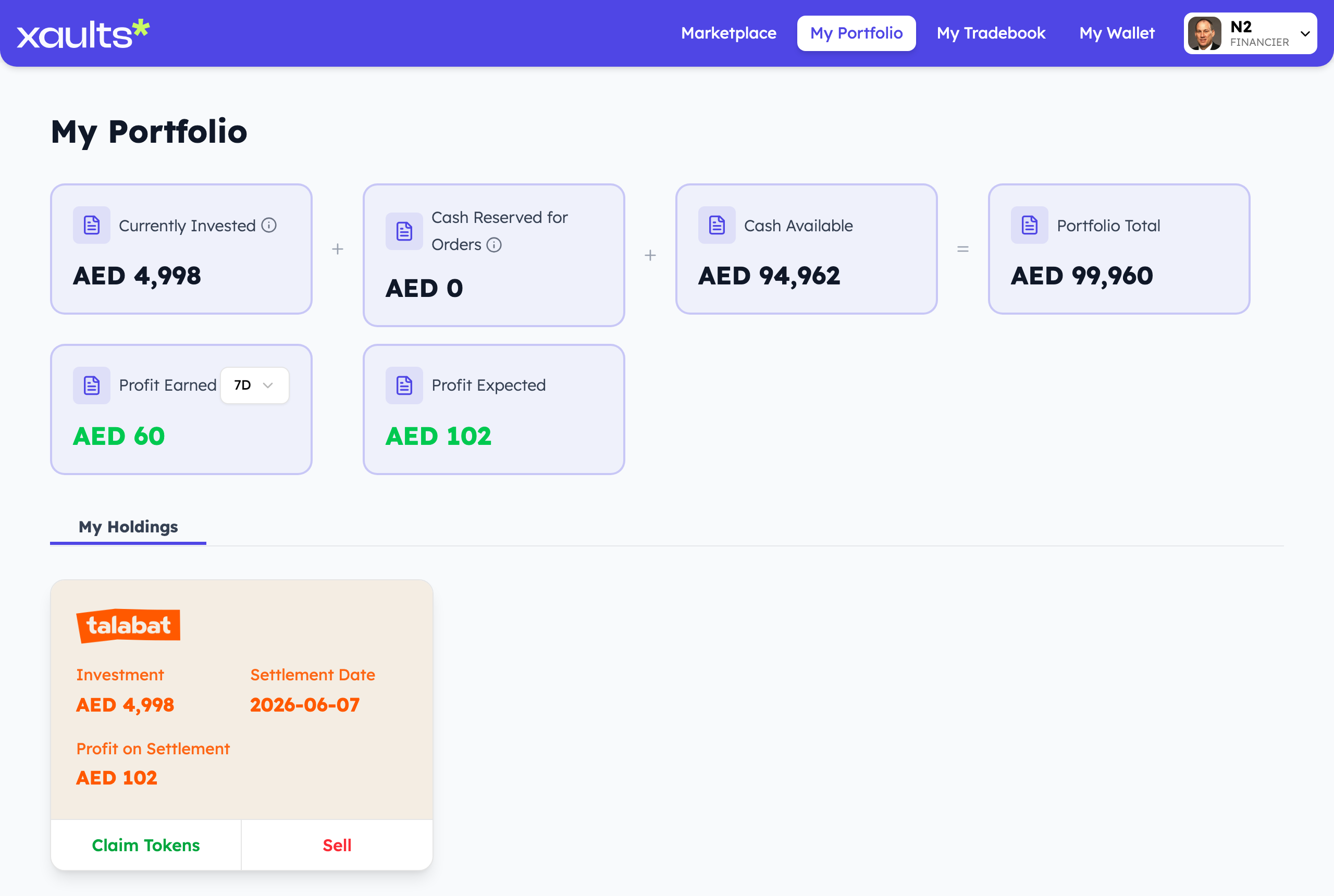
Financier portfolio overview
4

Resell invoices you own (place a sell order)

Already own invoices? You can sell them on to other financiers before settlement — to free up cash or lock in profit early.

  • Open My Portfolio → My Holdings and click Sell on any invoice you hold.
  • Set the discount you’re offering; your listing goes live on the marketplace for other financiers to buy.
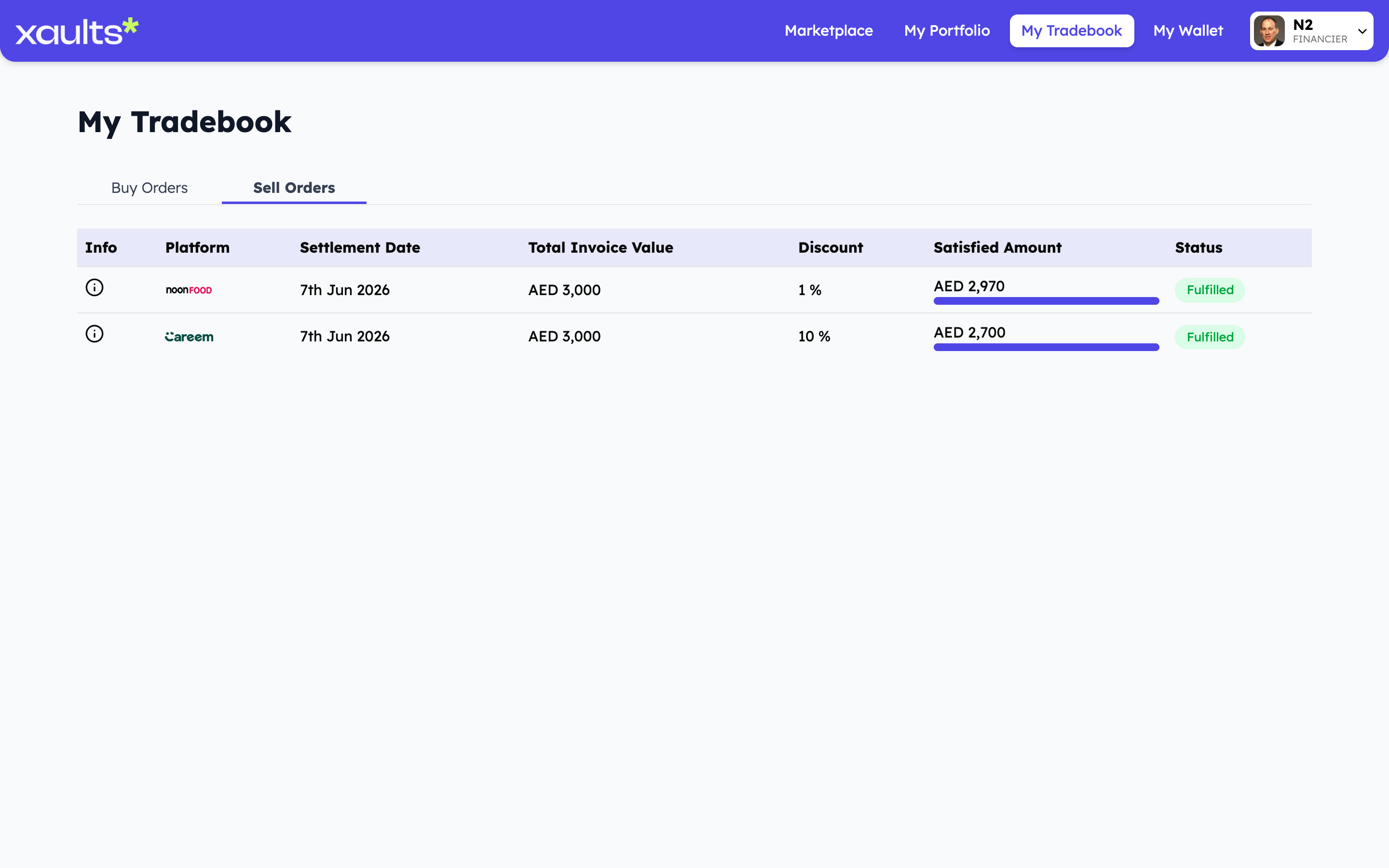
  • Track every listing under My Tradebook → Sell Orders, with its discount, satisfied amount and status.
Financier tradebook — sell orders
5

Track trades & earn at settlement

Monitor every order, then collect principal plus interest on the settlement date.

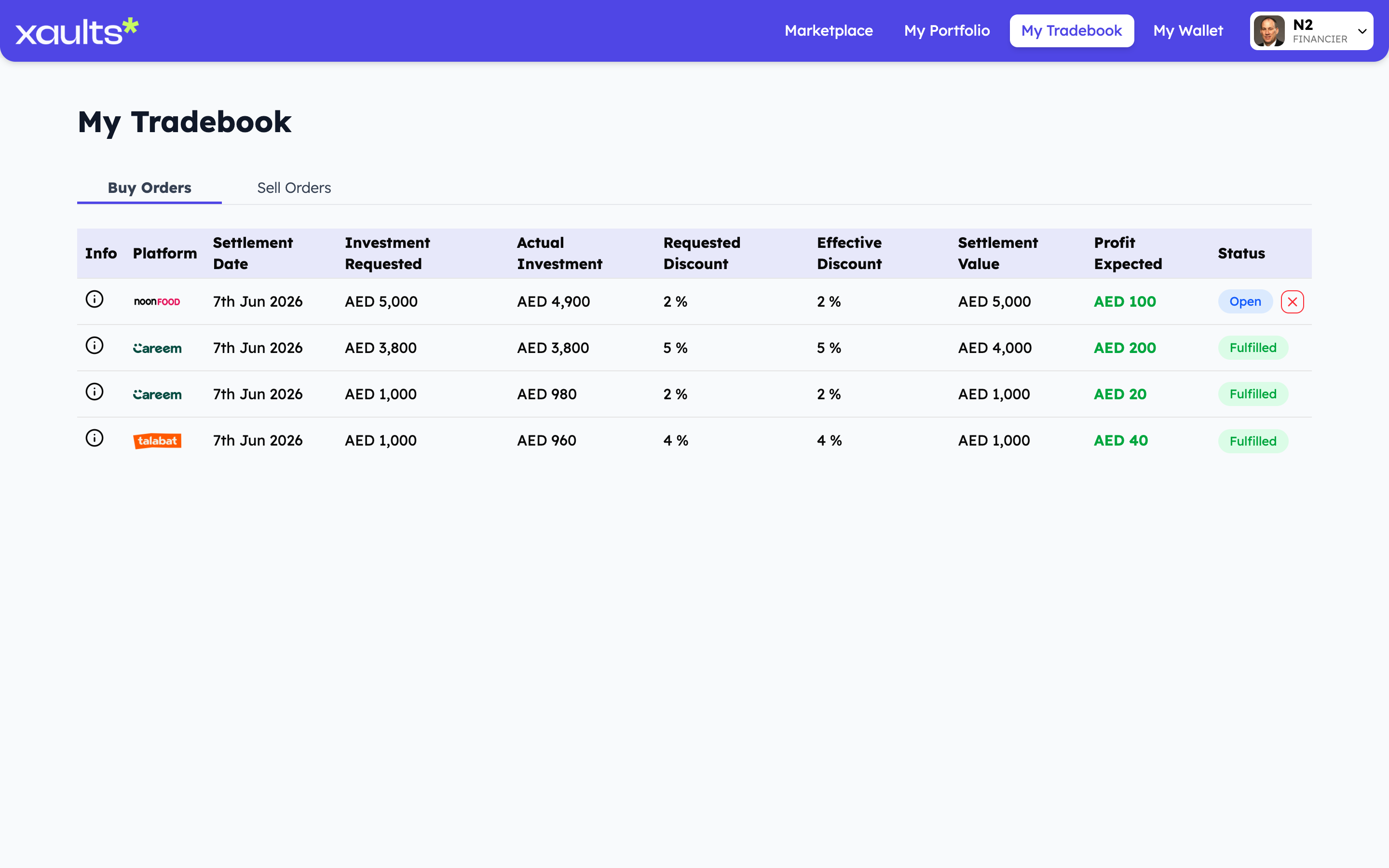
  • “My Tradebook” lists Buy & Sell orders with requested vs. effective discount.
  • See Settlement Value, Profit Expected and live status (Open / Fulfilled).
  • On the settlement date the platform pays — you receive principal + profit.
Financier tradebook — buy orders
6

Manage your capital in your wallet

Your capital lives in your in-app wallet, where every settlement and payout is tracked alongside what you have committed to live orders.

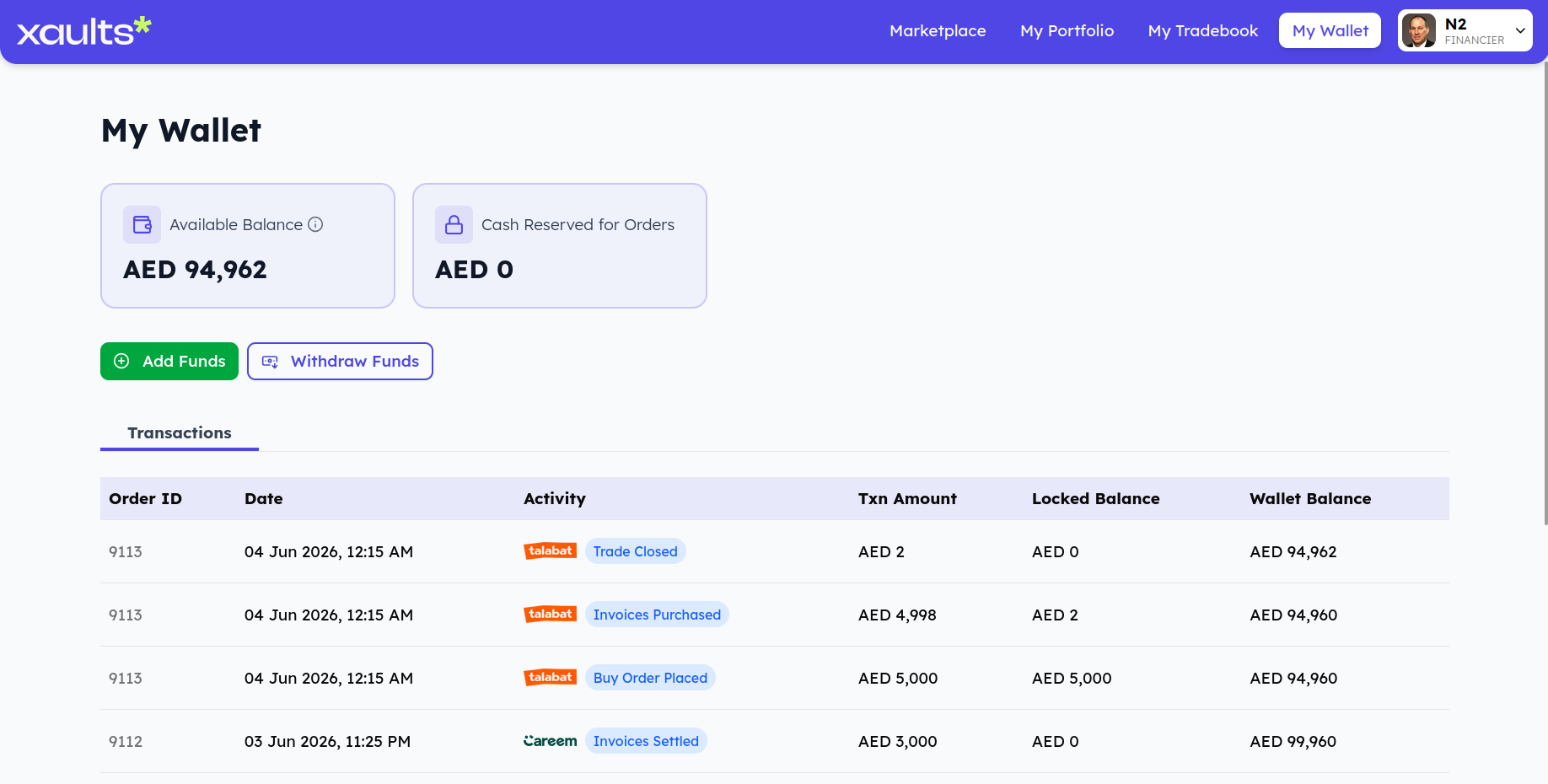
  • See your Available Balance and Cash Reserved for Orders at a glance — how much is free to deploy versus committed to open buy orders.
  • When you place a buy order that isn’t fulfilled yet, that cash sits in Cash Reserved for Orders, It frees back up to Available Balance once the trade closes.
  • The Transactions log records each activity on its date — Invoices Settled on the invoice’s settlement date, Financing Received when one of your sell orders gets fulfilled, and Invoices Purchased when you buy.
Financier wallet — capital and investments

For Platforms

Delivery platforms (Talabat, Careem, Noon Food) that owe restaurants and settle the financed invoices on the due date.

1

Sign in as a platform

Log in with your platform account to reach the settlement dashboard.

  • Use your platform credentials (e.g. Talabat, Careem, Noon Food) to log in.
Xaults login screen
2

Settle invoices on the due date

On the settlement date, pay out each fulfilled invoice with one click.

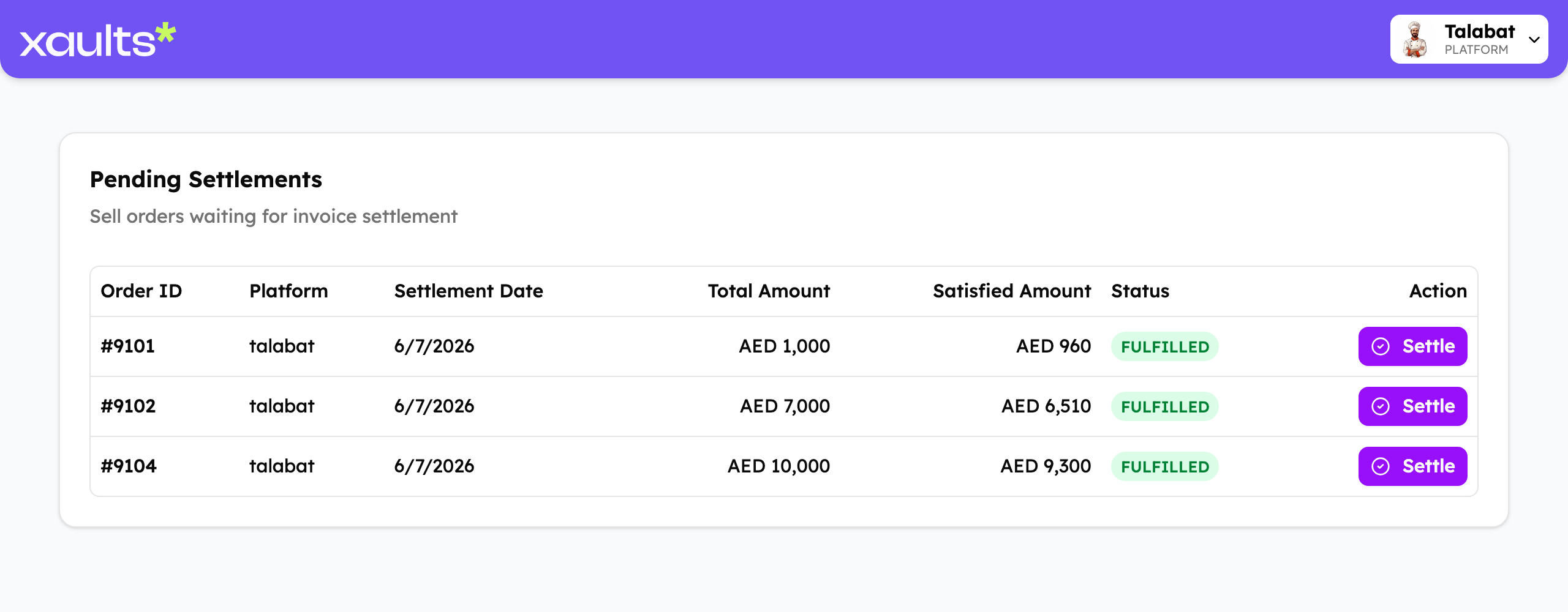
  • “Pending Settlements” lists every sell order awaiting settlement.
  • Check Total Amount, Satisfied Amount and status before settling.
  • Click Settle — the current invoice owner receives principal + interest.
Platform pending settlements

Ready to get started?

Create your account and pick your role — restaurant, financier or platform — to jump into the flow above.